

 Global
 Malaysia
 Indonesia
 Thailand
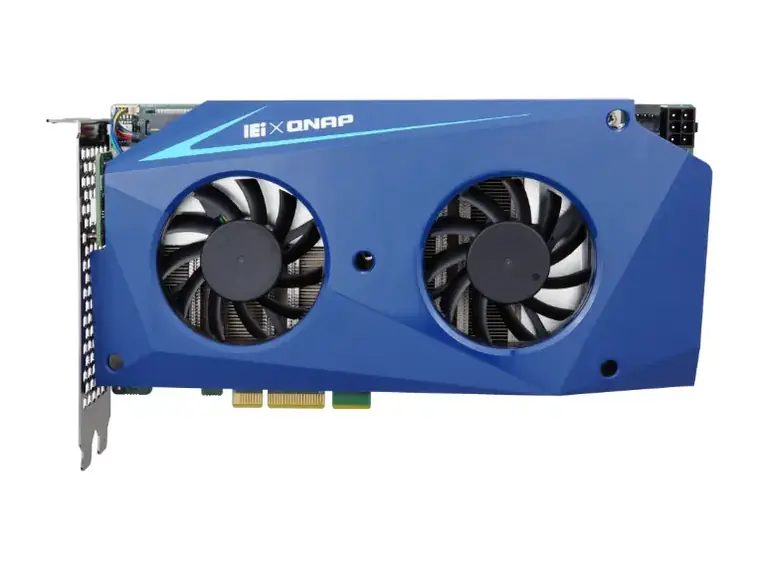
 Mustang-200-i7-1T-32G-R10
QNAP Mustang-200-i7-1T-32G-R10 Network or expansion card
As QNAP NAS evolves to support a wider range of applications (including surveillance, virtualization, and AI) you not only need more storage space on your NAS, but also…
The QNAP Mustang-200-i7-1T-32G-R10 is a network or expansion card: As QNAP NAS evolves to support a wider range of applications (including surveillance, virtualization, and AI) you not only need more storage space on your NAS, but also…. It suits upgrading nas, pcs and servers to 2.5/5/10/25gbe and adding m.2 ssd cache to a nas. Vemax Distribution Sdn Bhd supplies the Mustang-200-i7-1T-32G-R10 in Malaysia through resellers and system integrators, with local warranty and pre-sales support from offices in Kuala Lumpur, Kuching, Penang and Kota Kinabalu.
- Network or expansion card
Supplied by Vemax Distribution Sdn Bhd, QNAP distributor in Malaysia, with local stock, warranty and RMA support.
Key features of the Mustang-200-i7-1T-32G-R10
- As QNAP NAS evolves to support a wider range of applications (including surveillance, virtualization, and AI) you not only need more storage space on your NAS, but also…
Best for
- Upgrading NAS, PCs and servers to 2.5/5/10/25GbE
- Adding M.2 SSD cache to a NAS
Mustang-200-i7-1T-32G-R10 overview
As QNAP NAS evolves to support a wider range of applications (including surveillance, virtualization, and AI) you not only need more storage space on your NAS, but also require the NAS to have higher processing power. Just as we can scale storage to meet higher requirements, QNAP provides the ability to expand the processing capabilities of your NAS. With a dual-CPU processor and an independent operating environment on a single PCIe card (2.0, x4), the Mustang-200-i7-1T-32G-R10 can be installed in a compatible QNAP NAS (or PC) to provide a flexible performance boost to your IT infrastructure and applications.
Product description from QNAP.
Mustang-200-i7-1T-32G-R10 key specifications
| CPU | Intel Core i7-7567U processor 3.5GHz (burst up to 4.0 GHz) x2 |
|---|---|
| Network ports | 10 Gigabit Ethernet Port: 10GbE network chip (per CPU) |
| CPU | Intel Core i7-7567U processor 3.5GHz (burst up to 4.0 GHz) x2 |
| Dimensions | 40, 210, 111 |
Full technical specifications
| Computing Accelerator Cards | CPU |
|---|---|
| CPU | Intel Core i7-7567U processor 3.5GHz (burst up to 4.0 GHz) x2 |
| Graphic | Intel Iris™ Plus Graphics 650 |
| Memory Slot | 2 x SODIMM (per CPU), with dual-channel support |
| M.2 SSD Slot | 1 PCIe Gen x4 port (per CPU) Built-in Intel 600P 512GB NVMe M.2 SSD (per CPU) |
| Flash Memory | 8GB eMMC |
| 10 Gigabit Ethernet Port | 10GbE network chip (per CPU) |
| Memory | 16GB (2 x 8GB) DDR4 (per CPU) Max: 32 GB (4 x 8 GB) |
| Interface | PCIe 2.0 x4 |
| Power Consumption (W) | 12V@9A |
| Operating Temperature & Relative Humidity | 0 ~ 40˚C ( 32˚F ~ 104˚F ),10~90% non-condensing |
| Cooling | 6cm smart fan (per CPU) |
| Dimensions | 40, 210, 111 |
| Power Connector | 12V PCIe 6-pin power input |
| Operating System | QTS 4.3.5 (embedded Linux) |
| Supported Client Operating Systems | Apple Mac OS 10.7 or laterLinux and UNIXMicrosoft Windows 7, 8, and 10Microsoft Windows Server 2003, 2008 R2, 2012, 2012 R2 and 2016 |
| Supported Browsers | Apple Safari 7 or laterGoogle ChromeMozilla Firefox |
| Supported Languages | Chinese (traditional and simplified), Czech, Danish, Dutch, English, Finnish, French, German, Greek, Hungarian, Italian, Japanese, Korean, Norwegian, Polish, Portuguese (Brazil), Romanian, Russian, Spanish, Swedish, Thai, and Turkish |
| Supported File Systems | Internal hard drive (EXT4)External hard drive (EXT3, EXT4, NTFS, FAT32, HFS+, and exFAT)Note: To use exFat you must purchase an exFAT driver license from License Center. |
| Networking | Proxy clientProtocols: SMB (1 / 2.0 / 2.1 / 3), AFP, NFS v2/v3/v4, FTP, FTPS, SFTP, TFTP, HTTP(S), iSCSI, SMTP, and SMSCTelnet / SSHSNMPUPnP and Bonjour Discovery |
| Network & Virtual Switch | TCP/IP: Dual stack (IPv4 and IPv6)Jumbo frameVirtual switchNetwork Address Translation (NAT)Spanning Tree Protocol (STP)Static RouteNCSI (Network Connectivity Status Indicator)DDNS settings (Customize & Multiple Service ) |
| Web Server | HTTP/HTTPS ConnectionsSupports WebDAV ConnectionSupports Virtual Host (Max: 32)Importable SSL Certificate |
| Security | Network access protection with auto-blocking (SSH, Telnet, HTTP(S), FTP, CIFS/SMB, and AFP)Host access control for shared folders (CIFS/SMB)AES 256-bit folder-based and volume-based encryptions which are validated by FIPS 140-2 CAVP (Cryptographic Algorithm Validation Program)256-bit external drive |
| Storage Management | Supported RAID types1-bay: SingleSSD RAID Over-provisioningNote: RAID 0 and JBOD Data RAID does not support Over-provisioning. SSD RAID Performance evaluation (with SSD Profiling Tool)Bitmap supportDisk auto S.M.A.R.T. data migrationDisk bad block scan and S.M.A.R.T test.Disk bad block recoveryDisk |
| iSCSI (IP SAN) | iSCSI targets with multiple LUNs per targetNote: The maximum number of targets is 256.LUN mapping and maskingOnline LUN capacity expansionSPC-3 persistent reservationMPIO & MC/SiSCSI LUN backup, one-time snapshot, and restorationVirtual disks using iSCSI initiatorNote: The maximum number of virtual |
| Notification Center | Added support for sending notifications via SMS providers, including Nexmo, Twilio, and Clickatell.Added Outlook as an SMTP service option.Added support for sending notifications via instant messaging applications, including Skype and Facebook Messenger.Added support for Overview and History in Noti |
| Access Rights Management | Multiple user creationUser data importing and exportingUser quota managementLocal user access control (AFP, CIFS/SMB, FTP, and WebDAV)Application access control (File Station, Music Station, Photo Station, and Video Station)Subfolder permissions (AFP, CIFS/SMB, FTP, and File Station) |
| Domain Authentication | Microsoft Active Directory (AD) and domain controller supportLDAP server and clientDomain user login (AFP, CIFS/SMB, FTP, and File Station) |
| myQNAPcloud | Free host name registration (DDNS)Optional myQNAPcloud SSL certificates (DDNS)Auto router configuration using UPnPWeb-based file manager with HTTPS 2048-bit encryptionmyQNAPcloud Link for remote access without complex router setup |
| Qsync | File syncing across multiple devices with SSL secure connectionSelective synchronization for specific folders or subfoldersTeam folders as file center for better collaborationFile sharing using email linksPolicy settings for conflicting files and file type filterVersion control for a maximum of 64 v |
| Resource Monitor | Monitoring of NAS system resources such as CPU, memory and networkMonitoring of NAS storage resources such as volumes, RAID, and disk activityMonitoring of NAS application resource useCreation of extra swap space when SSDs are installed |
| Helpdesk | Reporting of issues to the QNAP support team, with automatic collection of system informationRemote connection between QNAP support engineers and NAS for issue resolution (with user permission) |
| Web Administration | Multi-window, multitasking system managementSmart toolbar and dashboard for system status displaySNMP versions 2 and 3Resource monitorNetwork recycle binRecover files deleted using AFP, CIFS/SMB, and File StationAutomatic cleanupFile type filterComprehensive logs (events and connections)Syslog serve |
| File Server | File sharing across Windows, Mac, and Linux/UNIXMicrosoft networkingWindows ACLAdvanced folder permissions (AFP, CIFS/SMB, and FTP)Shared folder aggregation (CIFS/SMB) |
| FTP Server | FTP over SSL/TLS (explicit)FXP support |
| File Station | Cloud drive mounting for Google Drive, Dropbox, Microsoft OneDrive, Microsoft OneDrive for Business, HiDrive, Amazon Cloud Drive, Yandex Disk and BoxRemote shared folder mounting (CIFS/SMB, FTP, and WebDAV)Document viewing using Office Online, Google Docs, and Chrome extensionMicrosoft Office file e |
| Qfiling | Auto filingRecipe functionArchiving through iSCSI, and remote NASAdvanced settingsSource File FiltersFile EditingFile deletionData integrity checkFile conflict policyNote: This feature is supported by all QNAP NAS devices with at least 2 GB of memory (excluding the TAS series) |
| Transcode Management | Video transcoding (240p, 360p, 480p, 720p and 1080p resolution)Automatic video transcoding for watched foldersHardware-accelerated transcodingEmbed subtitles into videos for background transcoding |
| Hybrid Backup Sync | Cloud storage backup to Amazon Glacier, Amazon S3, Azure Storage, Google Cloud Storage, HKT Object Storage, OpenStack Swift, WebDAVCloud storage syncing with Alibaba Cloud, Amazon Drive, Amazon S3, BackBlaze B2, Box, Dropbox, OneDrive, Google Drive, HiDrive, hubiC, OneDrive, OneDrive For Business, S |
| Photo Station | Photo organization by thumbnail, list, timeline, or folderVirtual and smart albumsValidity control for album sharingPhoto tagging with text, colors, and ratingsSlideshows with background music and transition effectsPhoto geotagging and display on Google MapsPhoto uploading to Picasa, Flickr, and Wei |
| Music Station | Music playing and sharing through web browsersMusic streaming to multiple devicesChanging of album covers through Google search or by uploading photosInternet radio (MP3)Eight music alarmsSwitching between spotlight mode and manage modeAdvanced searchScrolling lyricsQmusic: Mobile application for mu |
| Video Station | Video organization by thumbnail, list, timeline, or folderVirtual and smart collectionsVideo tagging with text, colors, and ratingsVideo link sharing through social media and emailMovie information and poster display from Internet sources or user-uploaded filesSubtitle display (SRT, ASS, SSA)Subtitl |
| Virtualization Station | Virtual machine creation (Windows, Linux, Unix, and Android)Virtual machine importing, exporting, cloning, snapshot capturing, backup, and restorationHTML5-based shared remote consoleVarious networking modes using virtual switchesGPU pass-through using additional discrete cards |
| Container Station | Support for LXC and DockerApplication downloading from the built-in Docker Hub RegistryOne-click installationContainer importing and exportingConsole modeThree networking modes (Note: Docker containers support Bridge, NAT, and Host mode. Linux containers (LXC) support only NAT.)Auto-start containers |
| Qsirch | Full-text searchData distribution using a bar chartPreviews for photos, music, videos, PDFs, Gmail, and othersAdvanced search operators and search scopeCustomized search filters with included or excluded conditionsRelated files suggestion in ViewerSearch Chrome, Firefox and Safari extensionNote: Thi |
Specifications from QNAP. Subject to change by the manufacturer; check the official datasheet for the latest details.
Mustang-200-i7-1T-32G-R10 questions
Where can I buy the QNAP Mustang-200-i7-1T-32G-R10 in Malaysia?
Vemax Distribution Sdn Bhd is the official QNAP distributor in Malaysia. Resellers and system integrators can buy the Mustang-200-i7-1T-32G-R10 directly from Vemax through our offices in Kuala Lumpur, Selangor, Penang, Sabah and Sarawak. Contact us at +60 16-874 7515 or sales@vemaxdistribution.com. End users can buy the Mustang-200-i7-1T-32G-R10 from our authorised resellers and system integrators across Malaysia. Get in touch and we will connect you with one near you.
What is the price of the QNAP Mustang-200-i7-1T-32G-R10 in Malaysia?
Pricing depends on quantity and project size. Request a quote from Vemax for the latest Mustang-200-i7-1T-32G-R10 price in Malaysia. Registered resellers receive dealer pricing.
Does the Mustang-200-i7-1T-32G-R10 come with a Malaysian warranty?
Yes. Units supplied by Vemax carry the official QNAP warranty with local RMA handled in Malaysia, so there is no need to send products overseas.
Can I become a QNAP reseller in Malaysia?
Yes. Vemax works with IT resellers, ELV contractors and system integrators across Malaysia. Register through the contact form to get dealer pricing, demo units and technical training.
Related QNAP products
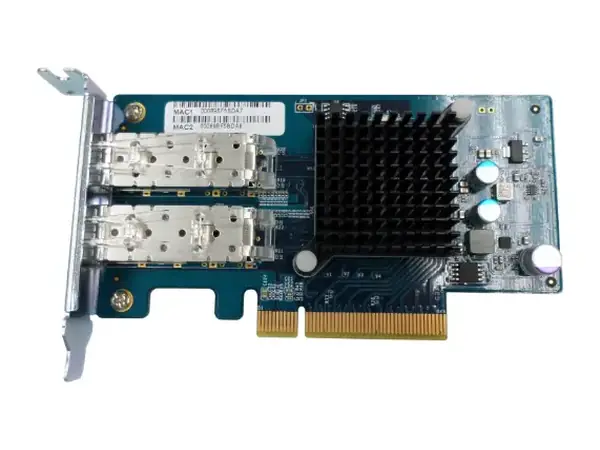 QNAP LAN-10G2SF-MLXQNAP offers various cost-effective network expansion cards for businesses and home users to easily upgrade the bandwidth of their QNAP NAS, servers and computers to…
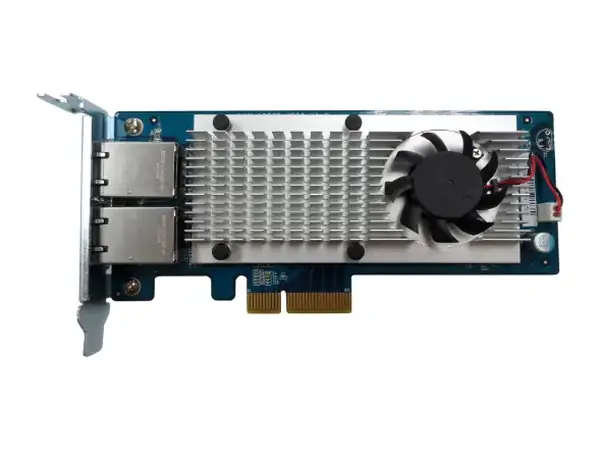 QNAP LAN-10G2T-X550QNAP offers various cost-effective network expansion cards for businesses and home users to easily upgrade the bandwidth of their QNAP NAS, servers and computers to…
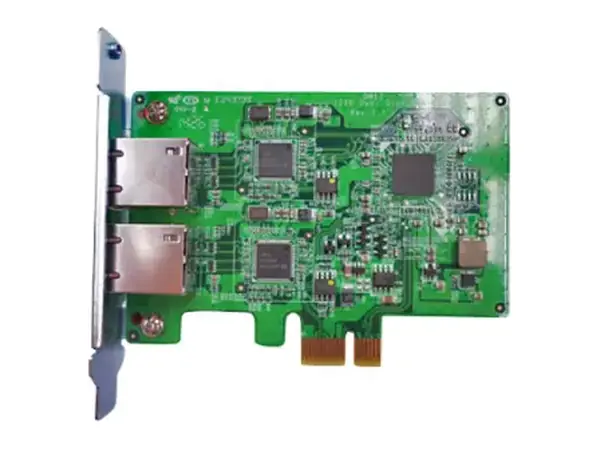 QNAP LAN-1G2T-I210QNAP offers various cost-effective network expansion cards for businesses and home users to easily upgrade the bandwidth of their QNAP NAS, servers and computers to…
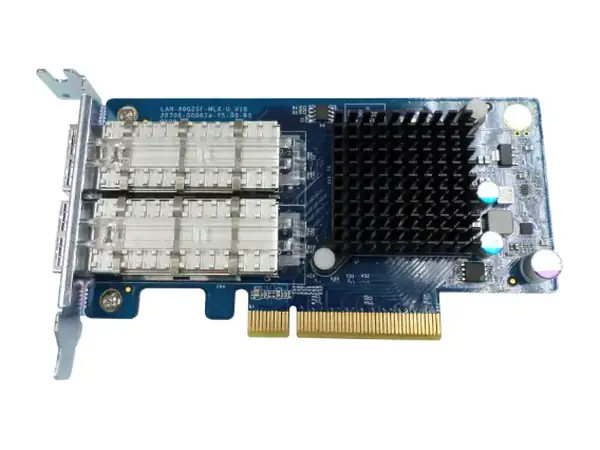 QNAP LAN-40G2SF-MLXQNAP offers various cost-effective network expansion cards for businesses and home users to easily upgrade the bandwidth of their QNAP NAS, servers and computers to…